Most voice-to-text apps do one thing: turn your speech into words on a screen. That's useful. But it's also where they stop.
Air Wisper does that too — but it also controls your Mac with voice commands, and soon it'll understand when you're talking to an AI and format your speech as a proper prompt.
Three modes. One app. And your audio never leaves your Mac.
The privacy difference
Let's start with the thing that matters most: where your voice goes.
Wispr Flow, Superwhisper, and most voice-to-text tools send your audio to external servers for transcription. That's fine for a grocery list. It's less fine when you're dictating:
- Internal Slack messages to your team
- Code review feedback with proprietary context
- AI prompts that reference client data
- Credentials you're reading from a password manager
- Medical notes, legal drafts, financial details
Air Wisper transcribes on your Mac using Apple's neural engine. Your voice is processed locally and never stored. The only thing that touches the network is the cleaned-up text — and only if you enable AI polish (which is optional).
The rule is simple: your audio stays on your device. Always. The cloud only sees text, never voice. And even that is optional.
| Feature | Wispr Flow | Superwhisper | Air Wisper |
|---|---|---|---|
| On-device transcription | ✗ | ✓ | ✓ (default) |
| Audio leaves your Mac | Yes | Optional | Never |
| Cloud mode available | ✓ | ✓ | ✓ (optional) |
| AI text cleanup | ✓ | ✓ | ✓ |
| Voice commands (Mac control) | ✗ | ✗ | ✓ |
| Prompt mode (AI-aware) | ✗ | ✗ | Coming soon |
| Price | $8/mo | $10/mo | Free / $3.99/mo |
Mode 1: Dictation — voice to clean text
Dictation Mode
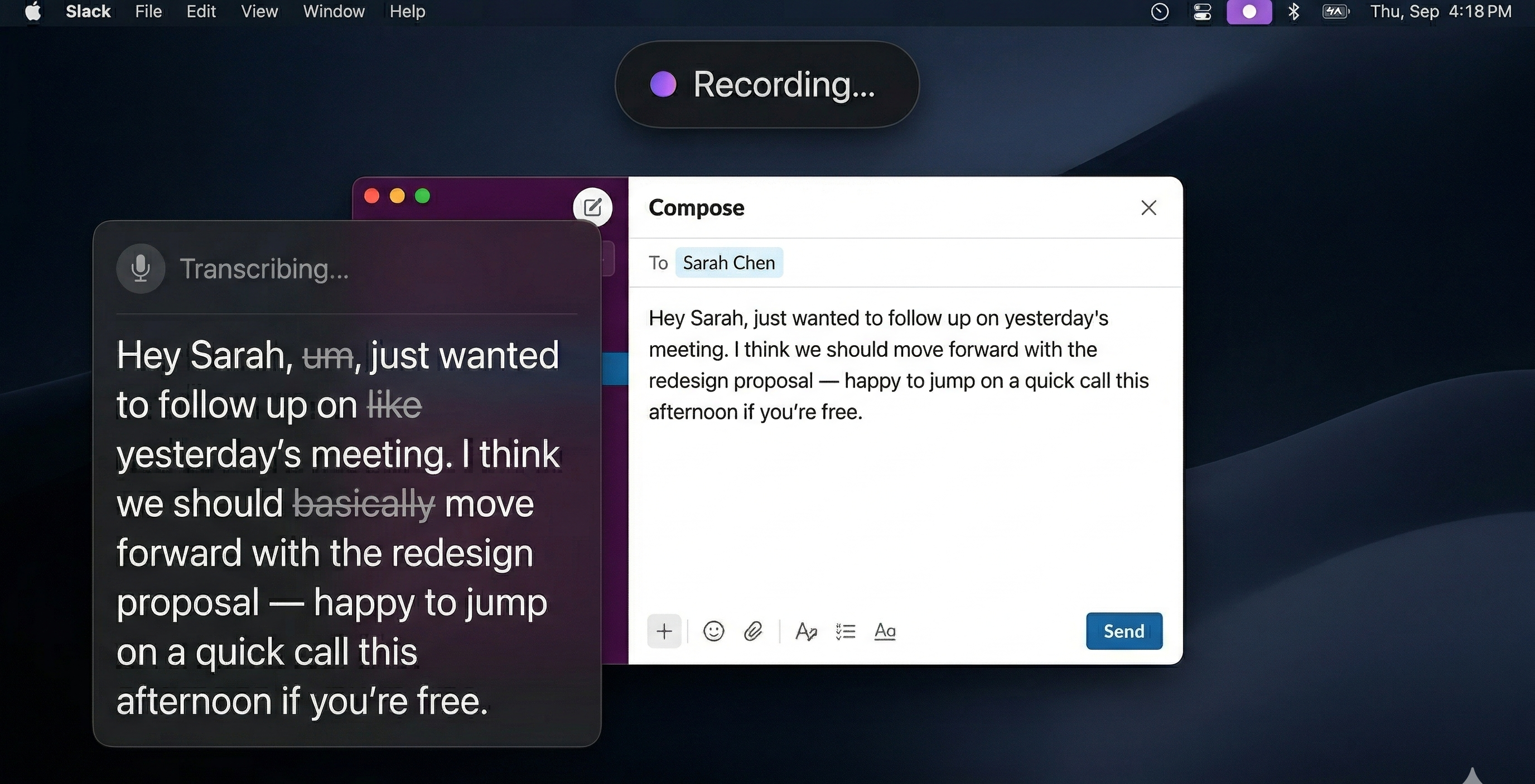
Hold your shortcut, speak naturally, release. Clean text appears wherever your cursor is. Filler words removed. Grammar fixed. Punctuation added. Works in every app — Slack, Gmail, Notion, VS Code, Terminal, everywhere.
⌥D (Option + D)This is what you'd expect from any voice-to-text app. The difference is that transcription runs entirely on your Mac. Apple's speech engine handles the heavy lifting — no network call, no latency from server round-trips, no privacy concerns.
AI polish is a separate, optional step. It takes the transcribed text and cleans it up — fixing grammar, removing "um" and "like", adding proper punctuation. This step uses OpenAI (via our proxy), but it only sees text, never audio.
Mode 2: Mac Control — voice to action
Mac Control Mode (Experimental)
Say what you want your Mac to do. Open apps, control volume, take screenshots, move windows, toggle dark mode, run Shortcuts — all by voice. No menus. No clicking. Just say it.
⌥C (Option + C)This is where Air Wisper diverges from every other voice-to-text app on the market. Instead of turning your voice into text, it turns your voice into actions.
Some examples of what you can say:
- "Open Slack" — launches the app
- "Volume 30" — sets system volume to 30%
- "Move Chrome to the left half" — window management
- "Take a screenshot" — captures the screen to Desktop
- "Dark mode" — toggles the system appearance
- "Set a timer for 5 minutes" — notification when it's done
- "Run my Morning Routine shortcut" — triggers any macOS Shortcut
- "Force quit Figma" — kills unresponsive apps
- "Lock screen" — locks your Mac
Mac Control uses cloud transcription (OpenAI Whisper) for higher accuracy when parsing commands, then AI interprets your intent and executes the right system action. It understands natural language — you don't need to memorize exact phrases.
It's experimental, and it's genuinely useful. Once you start controlling your Mac by voice, reaching for the mouse feels slow.
Mode 3: Prompt Mode — voice to AI prompt
Prompt Mode Coming Soon
Air Wisper detects when you're in an AI app — ChatGPT, Claude, Cursor, VS Code Copilot — and automatically formats your speech as a structured prompt. Speak your thinking. Get a well-formed prompt.
This is the next evolution. If you work with AI daily, you know that writing good prompts is a skill — and typing them is the bottleneck.
Prompt Mode will detect the active app and context:
- In ChatGPT or Claude? Your dictation becomes a structured prompt with clear instructions
- In Cursor or VS Code? It includes the language, file context, and formats as a code-generation prompt
- In Terminal? It formats as a command-line query
You speak: "refactor this function to use async await, keep the error handling but make it cleaner, and add a timeout"
Prompt Mode outputs: a clean, well-structured prompt tailored to the AI tool you're using — with the right format, the right level of specificity, and none of the filler.
The idea: you think out loud. Air Wisper turns your thinking into the prompt an AI actually needs. No more staring at a blinking cursor trying to phrase things perfectly.
Why three modes matter
Voice-to-text apps solved one problem: typing is slow. But they left two others on the table:
- Your Mac still requires clicking and keyboard shortcuts for everything. Mac Control fixes that.
- AI tools need structured input, but you think in streams. Prompt Mode fixes that.
Wispr Flow and Superwhisper are excellent at voice-to-text. They're built for speed and accuracy. Air Wisper is built for something broader: voice as the primary way you interact with your Mac and the AI tools on it.
Text is just the first output format. Actions and prompts are the next two.
Try it
Air Wisper is free to start. Dictation mode works entirely on-device with no account required for local transcription. Mac Control is available now. Prompt Mode is coming soon.
Voice-to-text. Voice-to-action. Voice-to-prompt.
One app. Three modes. Private by default.
Get Started Free